『博客开发日记』之验证码发送接口的实现

本文最后更新于 2026年1月20日 晚上

验证码发送接口的实现


验证码发送接口的需求

目前一共有五个接口,分别为:

发送邮箱登录验证码

发送手机登录验证码

发送邮箱注册验证码

发送手机注册验证码

发送邮箱忘记密码的验证码

1.验证码发送通过手机或者邮箱的方式发送

手机号收取信息通过阿里云的号码认证服务实现

邮箱验证码通过Spring Boot Mail 邮件服务 + QQ邮箱发送验证码的方式实现


2.要检测用户是通过那种方式登录/注册/忘记密码(目前只支持邮箱验证)的 scene 场景(login/register/forgot)


3.根据不同方式发送不同类型的验证码 type 类型(email/phone)


4.需要检测账号是否存在

通过needAccountExists 是否需要验证账号已存在(登录和忘记密码需要,注册不需要)来实现


5.检查IP发送频率限制

限制同一ip多次发送验证码请求


6.验证码五分钟后过期


7.生成6位随机验证码

代码实现

下面主要认证服务类AuthServiceImpl的代码实现

1
2
3
4
5
6
7
8
9
10
11
12
13
14
15
16
17
18
19
20
21
22
23
24
25
26
27
28
29
30
31
32
33
34
35
36
37
38
39
40
41
42
43
44
45
46
47
48
49
50
51
52
53
54
55
56
57
58
59
60
61
62
63
64
65
66
67
68
69
70
71
72
73
74
75
76
77
78
79
80
81
82
83
84
85
86
87
88
89
90
91
92
93
94
95
96
97
98
99
100
101
102
103
104
105
106
107
108
109
110
111
112
113
114
115
116
117
118
119
120
121
122
123
124
125
126
127
128
129
130
131
132
133
134
135
136
137
138
139
140
141
142
143
144
145
146
147
148
149
150
151
152
153
154
155
156
157
158
159
160
161
162
163
164
165
166
167
168
169
170
171
172
173
174
175
176
177
178
179
180
181
182
183
184
185
186
187
188
189
190
191
192
193
194
195
196
197
198
199
200
201
202
203
204
205
206
207
208
209
210
211
212
213
214
215
216
217
218
219
220
221
222
223
224
225
226
227
228
229
230
231
232
233
234
235
236
237
238
239
240
241
242
243
244
245
246
247
//认证服务类
@Service
public class AuthServiceImpl implements AuthService
{
@Autowired
private EmailServiceImpl emailService;

@Autowired
private AliyunSmsServiceImpl aliyunSmsService;

@Autowired
UserMapper userMapper;

@Autowired
private RedisCache redisCache;

//发送邮箱登录验证码
@Override
public ResponseResult sendEmailLoginCode(SendCodeDto dto) {
return sendVerificationCode(dto.getEmail(), "email", "login", true);
}

//发送手机登录验证码
@Override
public ResponseResult sendPhoneLoginCode(SendCodeDto dto) {
return sendVerificationCode(dto.getPhone(), "phone", "login", true);
}

//发送邮箱注册验证码
@Override
public ResponseResult sendEmailRegisterCode(SendCodeDto dto) {
return sendVerificationCode(dto.getEmail(), "email", "register", false);
}

//发送手机号注册验证码
@Override
public ResponseResult sendPhoneRegisterCode(SendCodeDto dto) {
return sendVerificationCode(dto.getPhone(), "phone", "register", false);
}

//发送邮箱忘记密码的验证码
@Override
public ResponseResult sendEmailForgotPasswordCode(SendCodeDto dto) {
return sendVerificationCode(dto.getEmail(), "email", "forgot", true);
}

//通用验证码发送方法
//account 账号(邮箱或手机号)
//type 类型(email/phone)
//scene 场景(login/register/forgot)
//needAccountExists 是否需要验证账号已存在(登录和忘记密码需要,注册不需要)
private ResponseResult sendVerificationCode(String account, String type, String scene, boolean needAccountExists)
{
//验证账号不能为空
ResponseResult validateResult = validateAccount(account, type);
if (validateResult != null) {
return validateResult;
}

//检查账号存在性
ResponseResult accountCheckResult = checkAccountForScene(account, type, scene, needAccountExists);
if (accountCheckResult != null) {
return accountCheckResult;
}

//获取客户端IP并检查限流
String clientIp = getClientIp();
ResponseResult ipCheckResult = checkIpLimit(clientIp, type);
if (ipCheckResult != null) {
return ipCheckResult;
}

//检查账号发送频率限制
String sendTimeKey = String.format("%s:send:time:%s:%s", scene, type, account);
String lastSendTime = redisCache.getCacheObject(sendTimeKey);
if (StringUtils.hasText(lastSendTime)) {
return ResponseResult.errorResult(AppHttpCodeEnum.SMS_SEND_FREQUENTLY, "验证码发送过于频繁,请1分钟后再试");
}

//生成验证码并存入Redis
String code = generateCode();
String redisKey = String.format("%s:code:%s:%s", scene, type, account);
redisCache.setCacheObject(redisKey, code, 5, TimeUnit.MINUTES);

//记录发送时间
redisCache.setCacheObject(sendTimeKey, String.valueOf(System.currentTimeMillis()), 1, TimeUnit.MINUTES);

//记录IP发送次数
recordIpSendCount(clientIp, type);

// 发送验证码
try {
if ("email".equals(type)) {
//三种情况
switch (scene) {
case "login":
emailService.sendVerificationCodeByLogin(account, code);
break;
case "register":
emailService.sendVerificationCodeByRegister(account, code);
break;
case "forgot":
emailService.sendVerificationCodeByForgotPassword(account, code);
break;
default:
emailService.sendVerificationCodeByLogin(account, code);
}
} else {
aliyunSmsService.sendVerificationCode(account, code);
}
System.out.println(String.format("发送%s验证码到%s: %s, 验证码: %s, IP: %s",
scene, type.equals("email") ? "邮箱" : "手机", account, code, clientIp));
} catch (Exception e) {
System.err.println(String.format("%s发送失败: %s", type.equals("email") ? "邮件" : "短信", e.getMessage()));
// 发送失败时删除Redis记录
redisCache.deleteObject(redisKey);
redisCache.deleteObject(sendTimeKey);
return ResponseResult.errorResult(AppHttpCodeEnum.SYSTEM_ERROR, "验证码发送失败,请稍后重试");
}

return ResponseResult.okResult("验证码已发送,5分钟内有效");
}

//验证账号格式
private ResponseResult validateAccount(String account, String type)
{
if (!StringUtils.hasText(account)) {
if ("email".equals(type)) {
return ResponseResult.errorResult(AppHttpCodeEnum.EMAIL_NOT_NULL);
} else {
return ResponseResult.errorResult(AppHttpCodeEnum.SYSTEM_ERROR, "手机号不能为空");
}
}

// 验证手机号格式
if ("phone".equals(type) && !account.matches("^1[3-9]\\d{9}$")) {
return ResponseResult.errorResult(AppHttpCodeEnum.PHONE_FORMAT_ERROR);
}

return null;
}

//根据场景检查账号
private ResponseResult checkAccountForScene(String account, String type, String scene, boolean needAccountExists)
{
LambdaQueryWrapper<User> queryWrapper = new LambdaQueryWrapper<>();
if ("email".equals(type)) {
queryWrapper.eq(User::getEmail, account);
} else {
queryWrapper.eq(User::getPhone, account);
}

User user = userMapper.selectOne(queryWrapper);
String accountTypeName = type.equals("email") ? "邮箱" : "手机号";

if (needAccountExists) {
// 登录和忘记密码场景:需要账号已存在
if (user == null) {
return ResponseResult.errorResult(AppHttpCodeEnum.SYSTEM_ERROR,
String.format("该%s未注册", accountTypeName));
}
} else {
// 注册场景:需要账号不存在
if (user != null) {
return ResponseResult.errorResult(AppHttpCodeEnum.SYSTEM_ERROR,
String.format("该%s已被注册", accountTypeName));
}
}

return null;
}

//生成6位随机验证码
private String generateCode()
{
Random random = new Random();
int code = random.nextInt(900000) + 100000;
return String.valueOf(code);
}

//获取客户端IP地址
private String getClientIp()
{
try {
ServletRequestAttributes attributes = (ServletRequestAttributes) RequestContextHolder.getRequestAttributes();
if (attributes != null) {
HttpServletRequest request = attributes.getRequest();
return IpUtils.getIpAddr(request);
}
} catch (Exception e) {
System.err.println("获取客户端IP失败: " + e.getMessage());
}
return "unknown";
}

//检查IP发送频率限制
private ResponseResult checkIpLimit(String ip, String type)
{
// 检查1分钟内的发送次数(最多5次)
String minuteKey = "login:ip:limit:minute:" + type + ":" + ip;
Integer minuteCount = redisCache.getCacheObject(minuteKey);
if (minuteCount != null && minuteCount >= 5) {
return ResponseResult.errorResult(AppHttpCodeEnum.IP_REQUEST_LIMIT, "您的操作过于频繁,请1分钟后再试");
}

// 检查1小时内的发送次数(最多20次)
String hourKey = "login:ip:limit:hour:" + type + ":" + ip;
Integer hourCount = redisCache.getCacheObject(hourKey);
if (hourCount != null && hourCount >= 20) {
return ResponseResult.errorResult(AppHttpCodeEnum.IP_REQUEST_LIMIT, "您今日发送次数过多,请1小时后再试");
}

// 检查1天内的发送次数(最多50次,防止恶意攻击)
String dayKey = "login:ip:limit:day:" + type + ":" + ip;
Integer dayCount = redisCache.getCacheObject(dayKey);
if (dayCount != null && dayCount >= 50) {
System.err.println("检测到异常发送行为 - IP: " + ip + ", 类型: " + type + ", 24小时内发送次数: " + dayCount);
return ResponseResult.errorResult(AppHttpCodeEnum.IP_REQUEST_LIMIT, "系统检测到异常行为,请24小时后再试或联系管理员");
}

return null;
}

//记录IP发送次数
private void recordIpSendCount(String ip, String type)
{
// 记录1分钟内的发送次数
String minuteKey = "login:ip:limit:minute:" + type + ":" + ip;
Integer minuteCount = redisCache.getCacheObject(minuteKey);
redisCache.setCacheObject(minuteKey, minuteCount == null ? 1 : minuteCount + 1, 1, TimeUnit.MINUTES);

// 记录1小时内的发送次数
String hourKey = "login:ip:limit:hour:" + type + ":" + ip;
Integer hourCount = redisCache.getCacheObject(hourKey);
redisCache.setCacheObject(hourKey, hourCount == null ? 1 : hourCount + 1, 1, TimeUnit.HOURS);

// 记录1天内的发送次数
String dayKey = "login:ip:limit:day:" + type + ":" + ip;
Integer dayCount = redisCache.getCacheObject(dayKey);
redisCache.setCacheObject(dayKey, dayCount == null ? 1 : dayCount + 1, 1, TimeUnit.DAYS);

// 如果24小时内发送次数超过30次,记录异常日志
if (dayCount != null && dayCount >= 30) {
System.err.println("警告:检测到可能的异常发送行为 - IP: " + ip + ", 类型: " + type + ", 24小时内发送次数: " + (dayCount + 1));
}
}
}

关于号码认证的实现类AliyunSmsServiceImpl,阿里云号码认证服务 - 短信验证码

1
2
3
4
5
6
7
8
9
10
11
12
13
14
15
16
17
18
19
20
21
22
23
24
25
26
27
28
29
30
31
32
33
34
35
36
37
38
39
40
41
42
43
44
45
46
47
48
49
50
51
52
53
54
55
56
57
58
59
60
61
62
63
64
65
66
67
68
69
70
71
72
73
@Service
public class AliyunSmsServiceImpl
{
@Value("${aliyun.sms.access-key-id}")
private String accessKeyId;

@Value("${aliyun.sms.access-key-secret}")
private String accessKeySecret;

@Value("${aliyun.sms.sign-name}")
private String signName;

@Value("${aliyun.sms.template-code}")
private String templateCode;

//阿里云客户端
private Client createClient() throws Exception
{
Config config = new Config()
.setAccessKeyId(accessKeyId)
.setAccessKeySecret(accessKeySecret)
.setEndpoint("dypnsapi.aliyuncs.com");
return new Client(config);
}

//发送验证码短信
public void sendVerificationCode(String phone, String code)
{
try {
Client client = createClient();

// 构建模板参数 JSON 字符串
String templateParam = String.format("{\"code\":\"%s\",\"min\":\"5\"}", code);

// 创建请求对象
SendSmsVerifyCodeRequest request = new SendSmsVerifyCodeRequest()
.setPhoneNumber(phone)
.setSignName(signName)
.setTemplateCode(templateCode)
.setTemplateParam(templateParam);

// 创建运行时选项
RuntimeOptions runtime = new RuntimeOptions();

// 发送短信
SendSmsVerifyCodeResponse response = client.sendSmsVerifyCodeWithOptions(request, runtime);

// 检查发送结果
if (response != null && response.getBody() != null) {
String resultCode = response.getBody().getCode();
if ("OK".equals(resultCode)) {
System.out.println("短信发送成功,RequestId: " + response.getBody().getRequestId());
} else {
String errorMsg = response.getBody().getMessage();
throw new RuntimeException("短信发送失败: " + errorMsg);
}
} else {
throw new RuntimeException("短信发送失败: 响应为空");
}

} catch (TeaException error) {
// Tea异常处理
System.err.println("短信发送失败: " + error.getMessage());
if (error.getData() != null && error.getData().containsKey("Recommend")) {
System.err.println("诊断地址: " + error.getData().get("Recommend"));
}
throw new RuntimeException("短信发送失败: " + error.getMessage(), error);
} catch (Exception e) {
// 其他异常处理
throw new RuntimeException("短信发送失败: " + e.getMessage(), e);
}
}
}

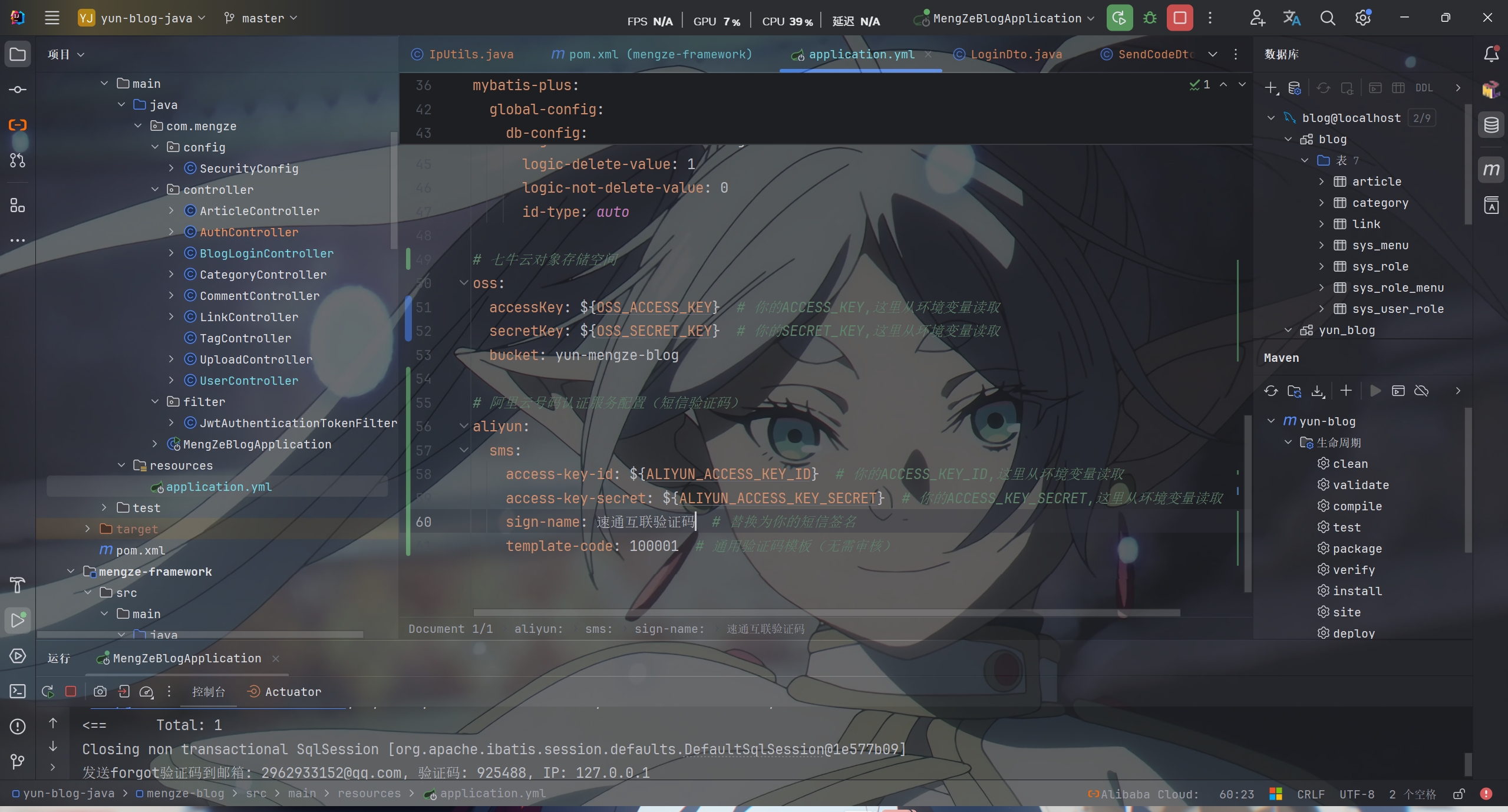
还需要在配置文件里配置号密钥


关于邮箱认证的实现类EmailServiceImpl,Spring Boot Mail 邮件服务 + QQ邮箱

1
2
3
4
5
6
7
8
9
10
11
12
13
14
15
16
17
18
19
20
21
22
23
24
25
26
27
28
29
30
31
32
33
34
35
36
37
38
39
40
41
42
43
44
45
46
47
48
49
50
51
52
53
54
55
56
57
58
59
60
61
62
63
64
65
66
67
68
69
70
71
72
73
74
75
76
77
78
79
80
81
82
83
84
85
86
87
88
89
90
91
92
93
94
95
96
97
98
99
100
101
102
103
104
105
106
107
108
109
110
111
112
113
114
115
116
117
118
119
120
121
122
123
124
125
126
127
128
129
130
131
132
133
134
135
136
137
138
139
140
141
142
143
144
145
146
147
148
149
150
151
152
153
154
155
156
157
158
159
160
161
//邮件服务类
@Service
public class EmailServiceImpl
{
@Autowired
private JavaMailSender mailSender;

@Value("${spring.mail.username}")
private String from;

//发送登录验证码邮件
public void sendVerificationCodeByLogin(String to, String code)
{
sendVerificationEmail(to, code, "登录", "您正在进行登录操作,请使用以下验证码完成登录。");
}

//发送注册验证码邮件
public void sendVerificationCodeByRegister(String to, String code)
{
sendVerificationEmail(to, code, "注册", "欢迎注册云梦泽的个人博客!请使用以下验证码完成注册。");
}

//发送忘记密码验证码邮件
public void sendVerificationCodeByForgotPassword(String to, String code)
{
sendVerificationEmail(to, code, "重置密码", "您正在进行密码重置操作,请使用以下验证码完成密码重置。");
}

// 通用发送验证码邮件方法
// to 收件人邮箱
// code 验证码
// scene 场景(登录/注册/重置密码)
// description 描述文字
private void sendVerificationEmail(String to, String code, String scene, String description)
{
try {
MimeMessage message = mailSender.createMimeMessage();
MimeMessageHelper helper = new MimeMessageHelper(message, true, "UTF-8");

helper.setFrom(from);
helper.setTo(to);
helper.setSubject("【云梦泽的个人博客】" + scene + "验证码");

// HTML 邮件内容
String htmlContent = buildEmailHtml(code, scene, description);
helper.setText(htmlContent, true);

mailSender.send(message);
} catch (MessagingException e) {
throw new RuntimeException("邮件发送失败", e);
}
}

//构建邮件HTML内容
//code 验证码
//scene 场景(登录/注册/重置密码)
//description 描述文字
private String buildEmailHtml(String code, String scene, String description)
{
// 根据场景选择不同的颜色主题
String themeColor = getThemeColor(scene);
String greeting = getGreeting(scene);

return "<!DOCTYPE html>" +
"<html>" +
"<head>" +
" <meta charset=\"UTF-8\">" +
" <meta name=\"viewport\" content=\"width=device-width, initial-scale=1.0\">" +
"</head>" +
"<body style=\"margin: 0; padding: 0; background: linear-gradient(135deg, #a5dff9 0%, #008c9e 100%); font-family: 'Segoe UI', Arial, sans-serif;\">" +
" <table width=\"100%\" cellpadding=\"0\" cellspacing=\"0\" style=\"padding: 40px 20px;\">" +
" <tr>" +
" <td align=\"center\">" +
" <table width=\"600\" cellpadding=\"0\" cellspacing=\"0\" style=\"background-color: #f5fffa; border-radius: 12px; box-shadow: 0 12px 15px 0 rgba(0,0,0,0.24), 0 17px 50px 0 rgba(0,0,0,0.19); overflow: hidden;\">" +
" <!-- 头部 -->" +
" <tr>" +
" <td style=\"background: rgb(125, 182, 191); padding: 40px 30px; text-align: center;\">" +
" <h1 style=\"color: #2c3e50; margin: 0; font-size: 28px; font-weight: 600; letter-spacing: 1px;\">云梦泽的个人博客</h1>" +
" <p style=\"color: #546e7a; margin: 10px 0 0 0; font-size: 14px;\">Cloud Dream Marsh Blog</p>" +
" </td>" +
" </tr>" +
" <!-- 内容 -->" +
" <tr>" +
" <td style=\"padding: 50px 40px;\">" +
" <h2 style=\"color: #3c4858; margin: 0 0 20px 0; font-size: 22px; font-weight: 600;\">" + greeting + "</h2>" +
" <p style=\"color: #718096; line-height: 1.8; margin: 0 0 30px 0; font-size: 15px;\">" +
" " + description +
" </p>" +
" <!-- 验证码区域 -->" +
" <div style=\"background: linear-gradient(135deg, #f8f9fa 0%, #e8f4f8 100%); border-left: 4px solid " + themeColor + "; border-radius: 8px; padding: 30px; margin: 30px 0; text-align: center; box-shadow: 0 2px 8px rgba(48,169,222,0.1);\">" +
" <p style=\"color: #718096; margin: 0 0 15px 0; font-size: 13px; text-transform: uppercase; letter-spacing: 1px;\">您的" + scene + "验证码</p>" +
" <p style=\"color: " + themeColor + "; font-size: 36px; font-weight: bold; letter-spacing: 10px; margin: 0; font-family: 'Courier New', monospace;\">" + code + "</p>" +
" </div>" +
" <!-- 提示信息 -->" +
" <div style=\"background-color: #fff8e1; border-left: 4px solid #ffc107; border-radius: 8px; padding: 20px; margin: 25px 0;\">" +
" <p style=\"color: #3c4858; line-height: 1.8; margin: 0; font-size: 14px;\">" +
" 验证码有效期为 <strong>5分钟</strong>,请尽快完成验证<br>" +
" 请勿将验证码泄露给他人<br>" +
" 如非本人操作,请忽略此邮件" +
" </p>" +
" </div>" +
" </td>" +
" </tr>" +
" <!-- 底部 -->" +
" <tr>" +
" <td style=\"background: linear-gradient(135deg, #f8f9fa 0%, #eaecef 100%); padding: 30px; text-align: center; border-top: 1px solid #eaecef;\">" +
" <p style=\"color: #718096; margin: 0 0 10px 0; font-size: 13px;\">" +
" 此邮件由系统自动发送,请勿直接回复" +
" </p>" +
" <p style=\"color: #a7a9ad; margin: 0; font-size: 12px;\">" +
" © 2026 云梦泽的个人博客 · All rights reserved" +
" </p>" +
" </td>" +
" </tr>" +
" </table>" +
" <!-- 额外提示 -->" +
" <table width=\"600\" cellpadding=\"0\" cellspacing=\"0\" style=\"margin-top: 20px;\">" +
" <tr>" +
" <td style=\"text-align: center; padding: 10px;\">" +
" <p style=\"color: rgba(255,255,255,0.9); margin: 0; font-size: 12px; text-shadow: 0 1px 2px rgba(0,0,0,0.1);\">" +
" 如有疑问,请访问我们的网站或联系客服" +
" </p>" +
" </td>" +
" </tr>" +
" </table>" +
" </td>" +
" </tr>" +
" </table>" +
"</body>" +
"</html>";
}

//根据场景获取主题颜色
private String getThemeColor(String scene)
{
switch (scene) {
case "登录":
return "#30a9de"; // 蓝色
case "注册":
return "#52c41a"; // 绿色
case "重置密码":
return "#ff6b6b"; // 红色
default:
return "#30a9de";
}
}

//根据场景获取问候语
private String getGreeting(String scene)
{
switch (scene) {
case "注册":
return "欢迎加入!";
case "重置密码":
return "密码重置";
default:
return "您好!";
}
}

}

获取用户ip的工具类

1
2
3
4
5
6
7
8
9
10
11
12
13
14
15
16
17
18
19
20
21
22
23
24
25
26
27
28
29
30
31
32
33
34
35
36
37
38
39
//IP工具类
public class IpUtils
{

//获取客户端真实IP地址
public static String getIpAddr(HttpServletRequest request)
{
if (request == null) {
return "unknown";
}

String ip = request.getHeader("X-Forwarded-For");
if (ip == null || ip.length() == 0 || "unknown".equalsIgnoreCase(ip)) {
ip = request.getHeader("Proxy-Client-IP");
}
if (ip == null || ip.length() == 0 || "unknown".equalsIgnoreCase(ip)) {
ip = request.getHeader("WL-Proxy-Client-IP");
}
if (ip == null || ip.length() == 0 || "unknown".equalsIgnoreCase(ip)) {
ip = request.getHeader("HTTP_CLIENT_IP");
}
if (ip == null || ip.length() == 0 || "unknown".equalsIgnoreCase(ip)) {
ip = request.getHeader("HTTP_X_FORWARDED_FOR");
}
if (ip == null || ip.length() == 0 || "unknown".equalsIgnoreCase(ip)) {
ip = request.getRemoteAddr();
}

// 对于通过多个代理的情况,第一个IP为客户端真实IP,多个IP按照','分割
if (ip != null && ip.length() > 15) {
if (ip.indexOf(",") > 0) {
ip = ip.substring(0, ip.indexOf(","));
}
}

return ip;
}
}


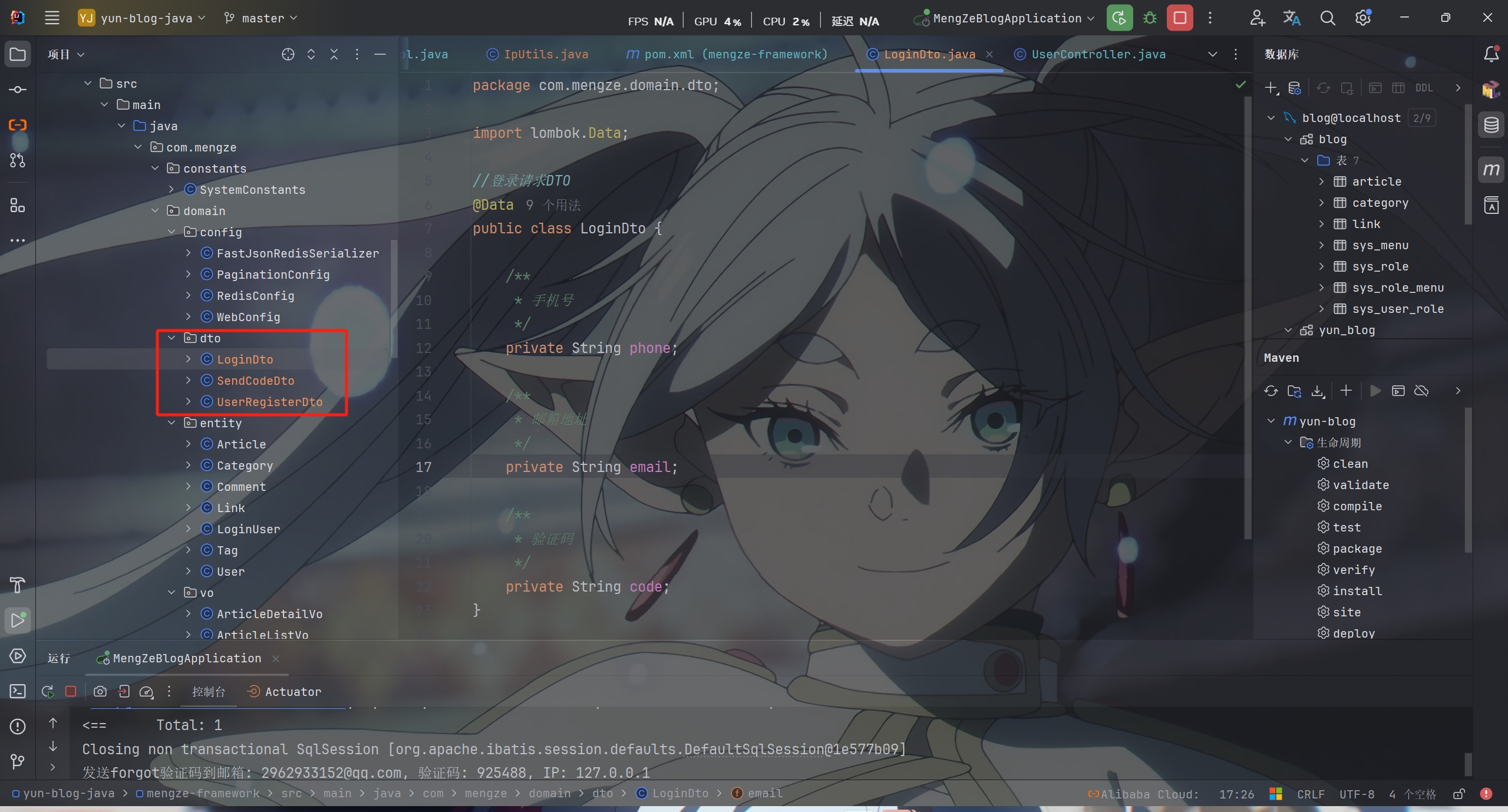
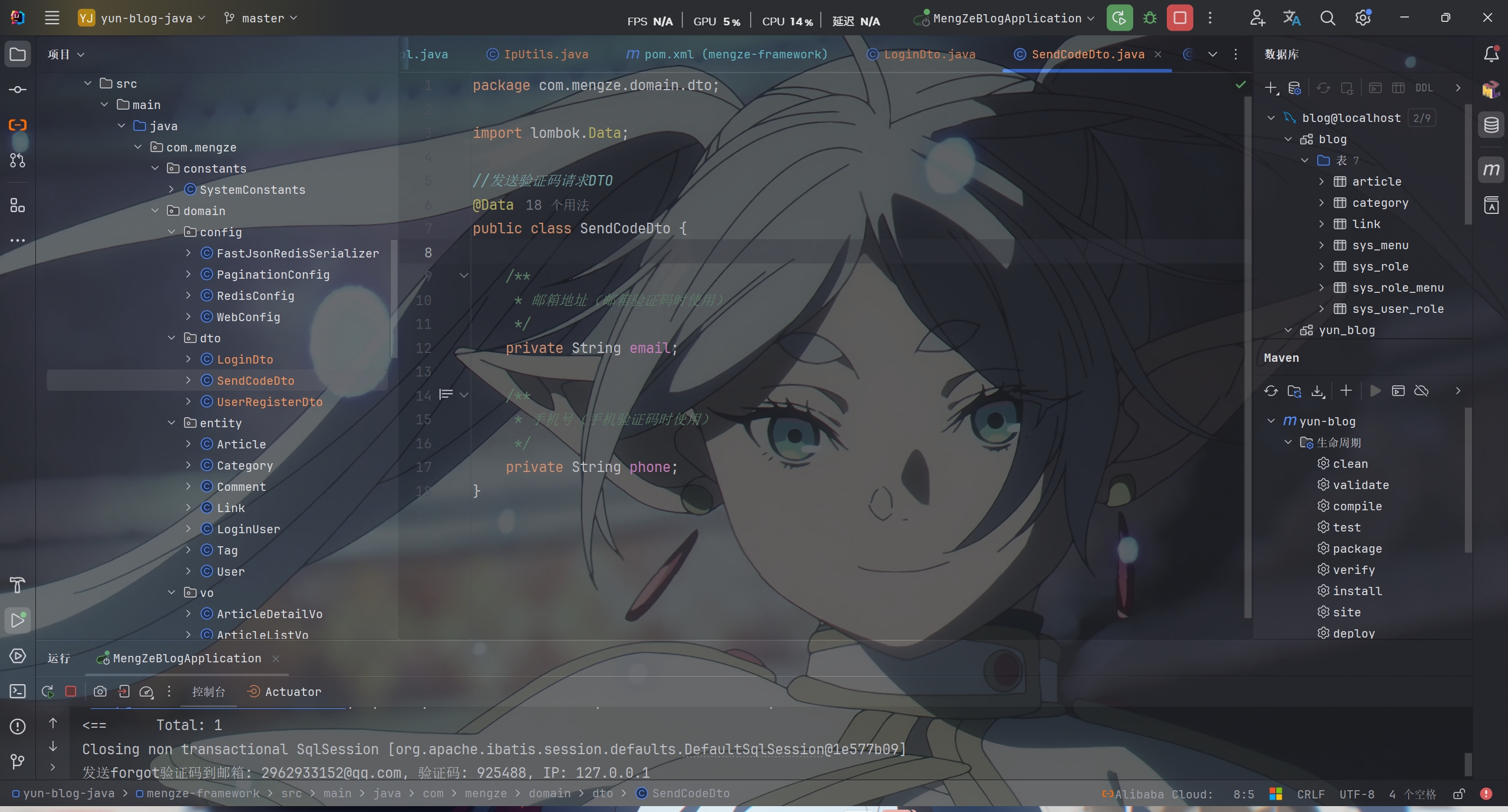
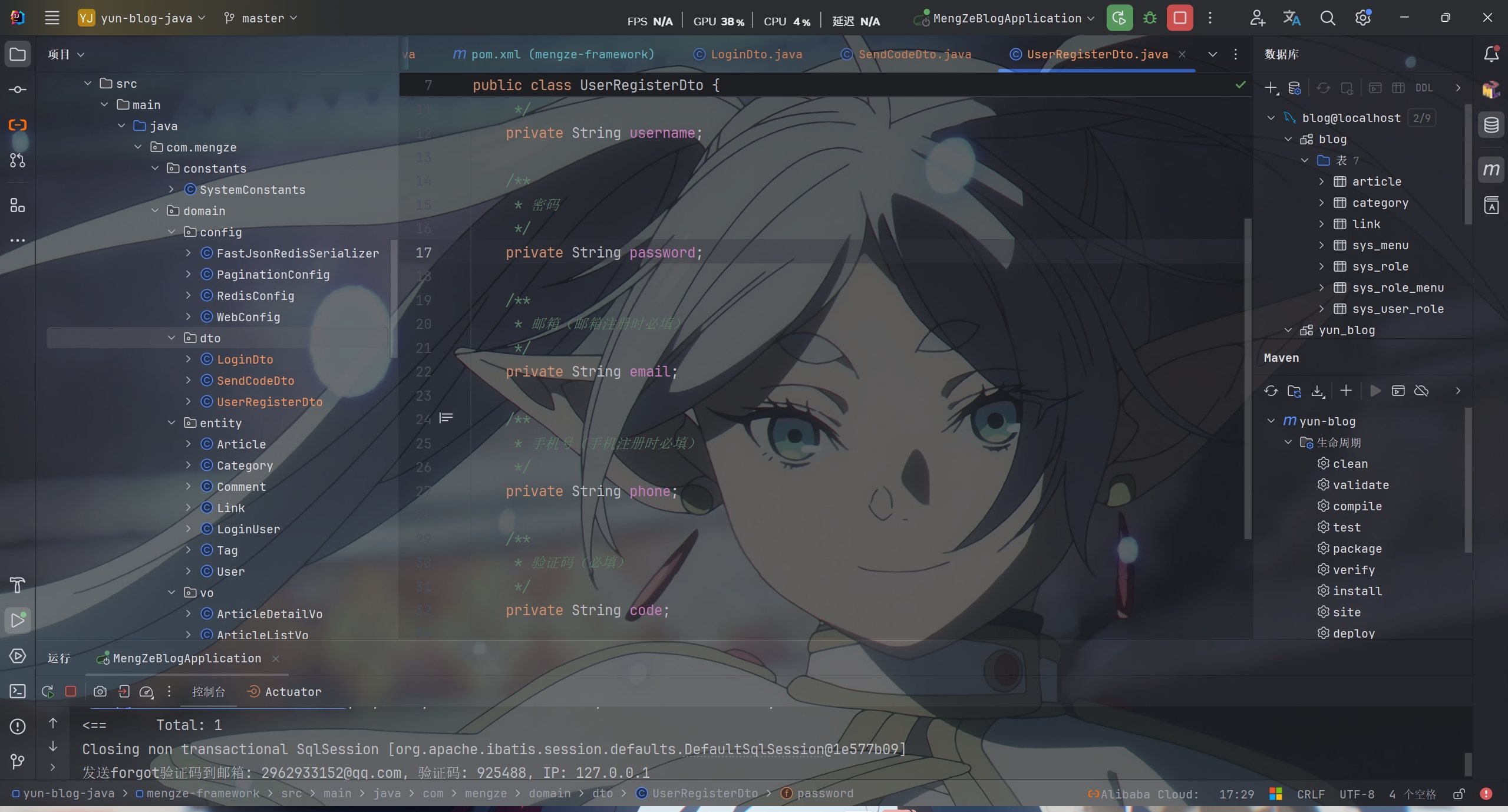
创建dto包后创建几个dto类


新加几个有关验证码的枚举

1
2
3
SMS_SEND_FREQUENTLY(1019, "验证码发送过于频繁,请稍后再试"),
IP_REQUEST_LIMIT(1020, "请求过于频繁,请稍后再试"),
VERIFICATION_CODE_ERROR(1021, "验证码错误或已过期"),


PS:该系列只做为作者学习开发项目做的笔记用

不一定符合读者来学习,仅供参考


预告

后续会记录博客的开发过程

每次学习会做一份笔记来进行发表

“一花一世界,一叶一菩提”


版权所有 © 2025 云梦泽
欢迎访问我的个人网站:https://hgt12.github.io/


『博客开发日记』之验证码发送接口的实现
http://example.com/2026/01/19/『博客开发日记』之验证码发送接口的实现/
作者
云梦泽
发布于
2026年1月19日
更新于
2026年1月20日
许可协议